
A three-part series
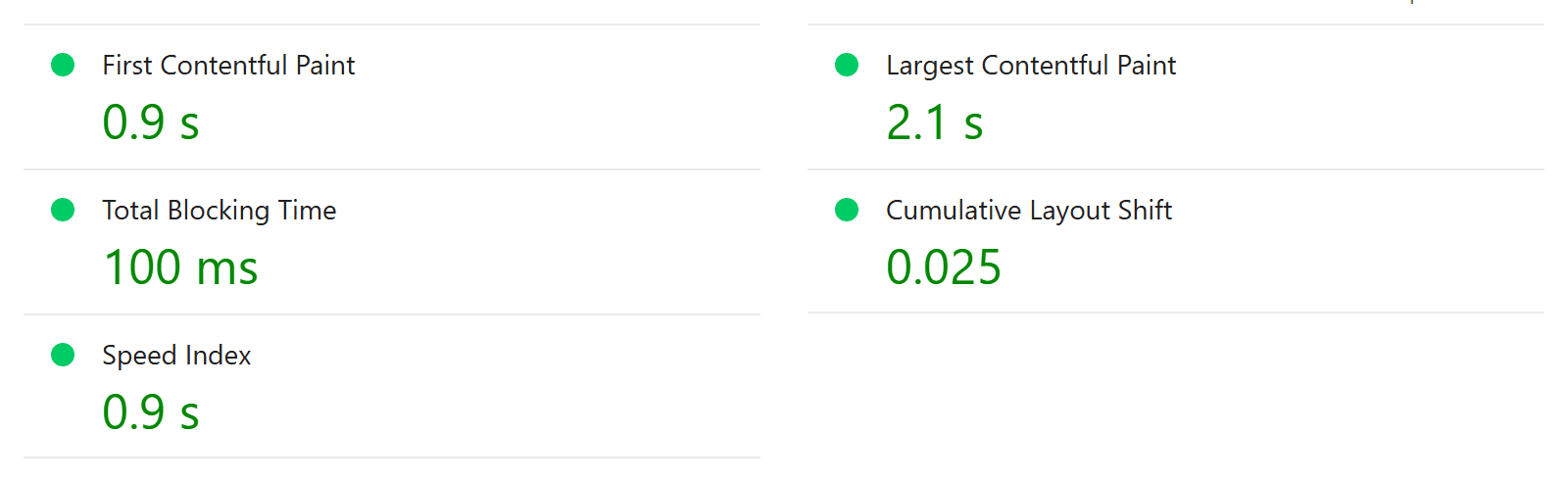
The whole point of our analytics setup was to keep pages fast. So we ran our own homepage through Google's PageSpeed Insights, on its mobile setting. Desktop scored 100. Mobile scored 78.
This is the story of getting that number up, discovering how unreliable a single run is, and building something better than a single number.
Key takeaways
- Our analytics wasn't the problem: the slow part was a font stylesheet that blocked the first paint.
- One PageSpeed run is a lab simulation. We saw 84 and 99 on identical code. Read the median of a few runs.
- Measure an idea before you build it. Our biggest planned change turned out not to be worth doing.
- Real visitors' page speed beats any lab score, and you can send it to the analytics tools you already have.
What was actually slow
The report was clear once we read past the headline. On a simulated slow 4G phone, the screen stayed white for about a second and a half, because the page couldn't draw anything until our typeface's stylesheet had arrived from the font service. That stylesheet then pulled in a second file before the fonts themselves. The hero image had downloaded in well under half a second. It was waiting.
The fix kept our typeface:
1
Let the page draw first
The font stylesheet now loads in the background instead of blocking the page.
2
Show a stand-in that's the same size
Until the real font arrives, text appears in a common system font, resized to match our typeface's proportions. Lines wrap in the same places, so nothing jumps when the real font takes over.
3
Switch only when the font is fully ready
The page switches to our typeface only after it has completely downloaded, so text is never invisible while a font loads.
We also trimmed our UI library's stylesheet to the parts we actually use, from 29 KB to 11 KB compressed, generated automatically so it can't fall out of date.
The bug only some visitors could see
Here's the lesson we least expected.
After the font change, everything passed: Lighthouse, automated tests, screenshots. Then, in a normal browser, the brand font simply never appeared. The page stayed in the stand-in font forever.
The cause was a tracker blocker. Our font service's stylesheet loads a small licence-counting file from a separate address, and tracker blockers often block that address. When that happens, the browser reports the whole stylesheet as failed, even though the fonts themselves load fine. Our new loader only waited for "success", so it never switched fonts.
The fix was small: treat "failed" the same as "loaded". The lesson is broader: lab tools never run ad blockers, but plenty of real visitors do. We now test third-party loading with parts of it deliberately blocked.
The same code scored 84 and 99
After the fixes, we ran PageSpeed Insights again. 85. Two minutes later, on the same code: 99. That evening, 84.
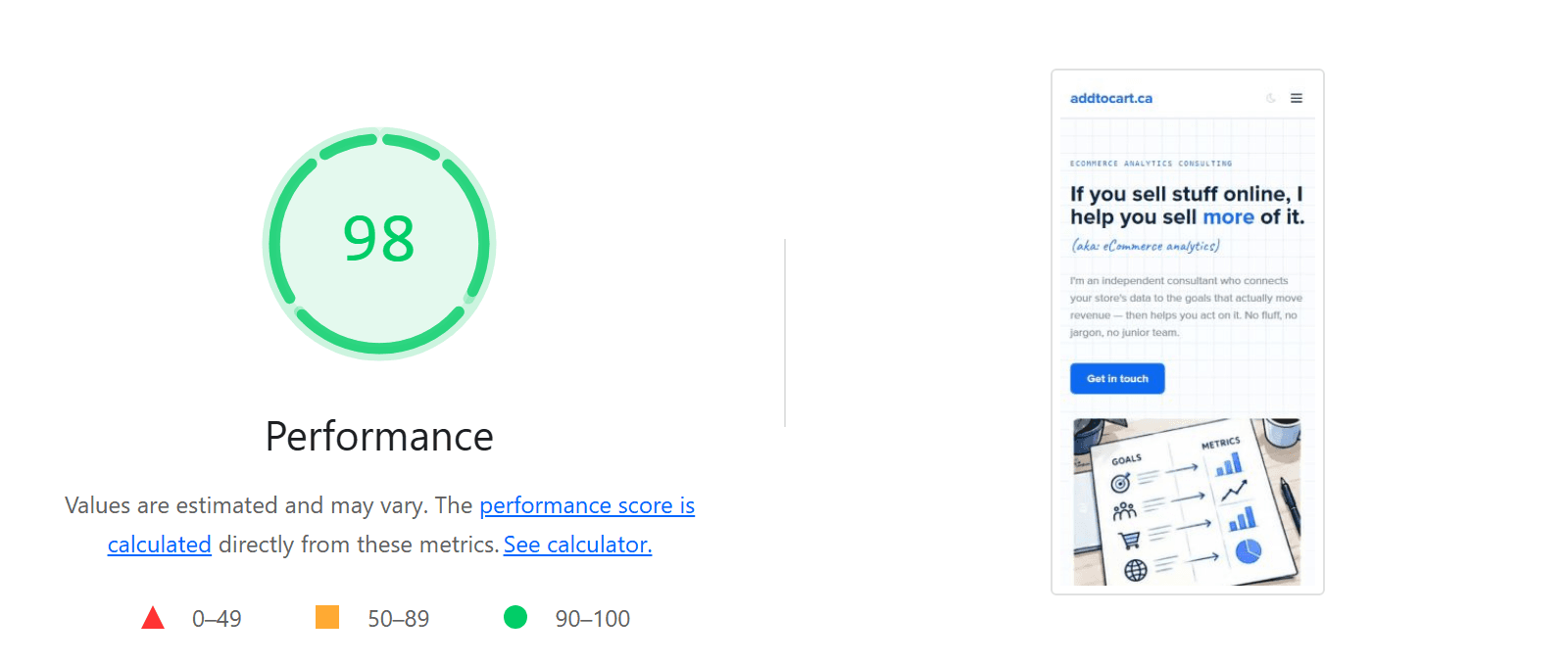
The reason is how the test works. It loads your page on a fast machine, records what happened, then calculates how long that would have taken on a slow phone. Small differences in that first recording, such as a server that's just restarted after a deploy or a burst of work landing a few milliseconds earlier, can move a lot of time in or out of the simulated result. Running the same version of Lighthouse that Google uses, on our own machine, five times in a row, we got 98, 100, 100, 97 and 99.
How to read PageSpeed Insights
Never trust a single run. Wait a few minutes after any deploy, run it three times, and take the middle score.
Measure before you build
The remaining slowness was JavaScript starting up. We had a plan for that: rebuild our page-building system so pages are assembled on the server, sending visitors less code. It would have taken a full working session and touched our content editor.
So we built a quick prototype first and measured it against the current site, five runs each. It saved about 15 KB of JavaScript. The scores were 95 before and 94 after: no measurable difference. What remains is the framework itself, which no rearranging of our own code can remove. We dropped the plan, and saved the session.
A better number than a score: real visitors
Lab scores answer "how fast could this be on one simulated phone?" What we really want to know is how fast it is for the people who visit. Google collects that from Chrome users, but only for sites with enough traffic, and for ours it says "No Data".
So we measure it ourselves, through the same pipeline from part 1, using the five measurements Google itself uses:
| Measurement | What it means | "Good" |
|---|---|---|
| LCP | When the main content showed | 2.5 s or less |
| FCP | When anything first showed | 1.8 s or less |
| INP | The slowest response to a tap or key during the visit | 200 ms or less |
| CLS | How much the layout jumped (a score, not a time) | 0.1 or less |
| TTFB | How long our server took to start answering | 0.8 s or less |
- The browser measures; we only collect. Google's open-source
web-vitalslibrary reads the browser's own measurements and sends nothing anywhere itself. It loads after the page is up, so it costs visitors nothing. - One event per visit, sent when the visitor leaves. Layout shift and responsiveness keep changing until then, so that's the only moment the numbers are final. Our event carries all five measurements and their ratings, and goes to all five tools like every other event.
Why not just use event timestamps?
We were asked exactly this, and it's a fair question. Three reasons it can't work. Paint times happen inside the browser's renderer, while an event's timestamp records when our script sent it, which is later. Two of the five measurements aren't times at all. And the values aren't final until the visitor leaves. You have to ask the browser.
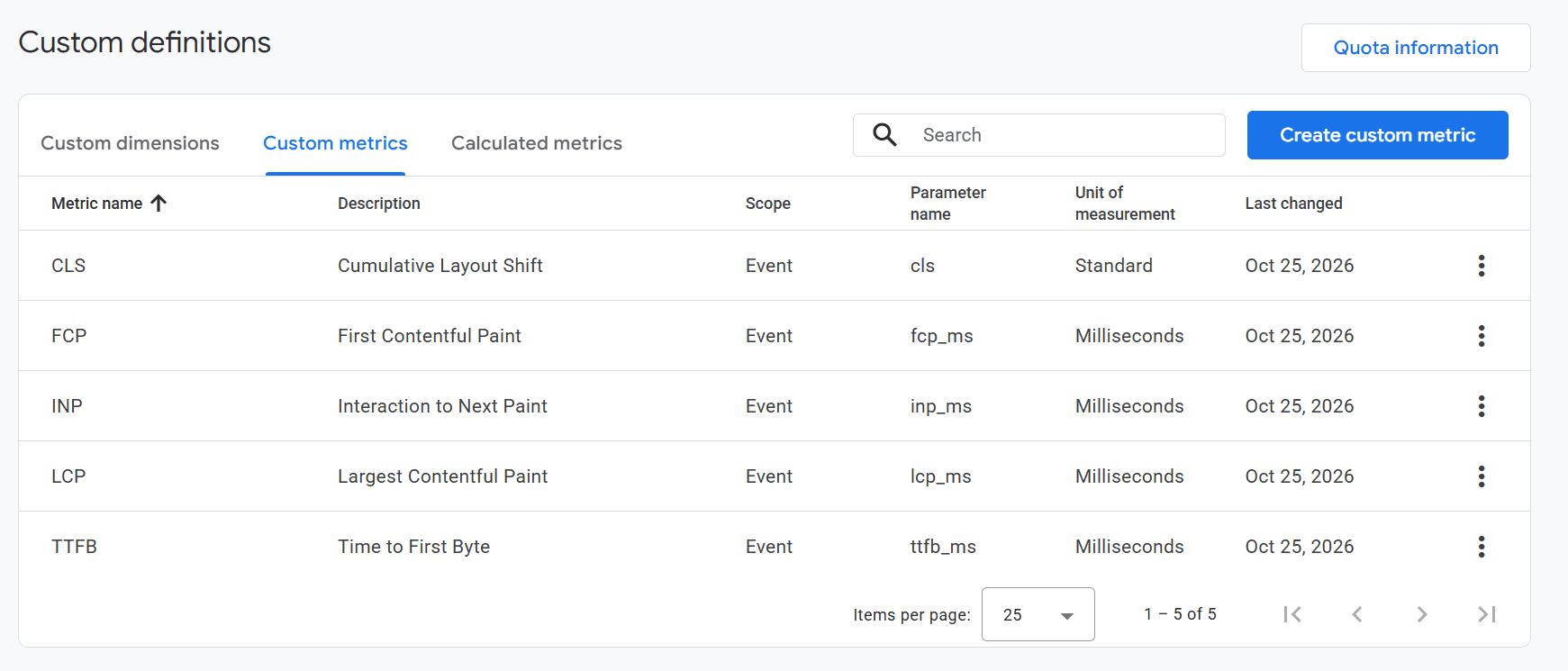
Reading the numbers: use the 75th percentile, not the average. It's what Google uses to judge these measurements, and it reflects the experience of your slower visitors rather than hiding them. Mixpanel, Amplitude and PostHog can all chart percentiles directly. GA4 needed the five measurements registered as custom metrics first.
What we'd tell a client
- Look at what's blocking the first paint before anything else. For us it was a font, not analytics, images or code.
- Treat PageSpeed scores as a range, and judge changes by the median of several runs.
- Prototype and measure before a big rebuild. The cheapest change is the one you discover you don't need.
- Test with an ad blocker on. Your lab tools won't.
- Measure real visitors. You probably already have the analytics tool to hold the data.
That's the series. If you'd like a second pair of eyes on your own site's analytics or speed, get in touch.